
Resources
Installation Manuals, Datasheets & Firmware
Every Versa sensor and Z-Wave device has its installation manual here as a web page you can read on the job, with the printable PDF one click away. Datasheets carry the full specification tables, and firmware notes land here as releases ship.
Pick the product below. Each manual page walks through mounting, enrollment and the LED behaviour in plain language, and every figure on it comes from the manual revision named on the page.
At a glance
On this page: Door & Window Sensors Home Automation Accessories How to use FAQ
Door & Window Sensors
Door & Window Sensors documents
4 products. Open a document to read it on the page, or download the PDF from its first screen.
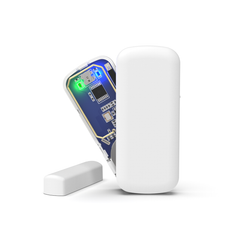
MINI-319 Wireless Door Window Sensor
319.5 MHz low-profile door window sensor for Qolsys IQ and GE/Interlogix panels, with the Bluefield magnet LED and a tool-free slide-off cover.
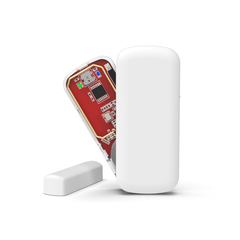
MINI-345 345 MHz Door and Window Sensor
345 MHz door and window sensor for Honeywell VISTA, Lyric and 2GIG panels, and a drop-in for the Resideo 5800MINI with a slide-off cover.
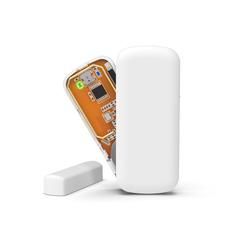
MINI-433 DSC Wireless Door Contact
433 MHz DSC wireless door contact for PowerSeries PC1832/PC1864, Impassa, and Alexor, just 0.25 in. deep for narrow window frames.
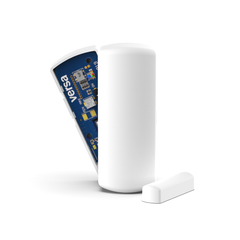
SHOCK-319 Wireless Shock Sensor and Door Contact
319.5 MHz wireless shock sensor and door/window contact in one, catching prying and kicking on the frame before the opening is breached.
Home Automation
Home Automation documents
5 products. Open a document to read it on the page, or download the PDF from its first screen.
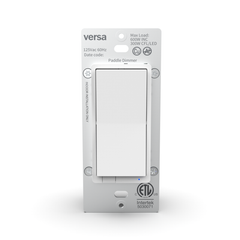
DIM-ZW In-Wall Z-Wave Dimmer Switch
Z-Wave 800 Long Range in-wall dimmer that replaces a single-pole or 3-way wall switch and dims hardwired lighting (600W incandescent / 300W LED).

LAMP-ZW2 Z-Wave Plug-In Lamp Dimmer
Z-Wave 800 Long Range plug in lamp dimmer that turns any grounded outlet into a dimmable smart plug, Alarm.com approved. 200W incandescent.
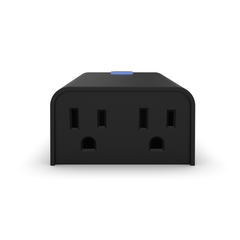
PLUG-OD-ZW Z-Wave Outdoor Smart Plug
Z-Wave 800 Long Range outdoor smart plug with two grounded outlets you can switch separately, IP65 rated for year-round outdoor use.

PLUG-ZW Z-Wave Smart Plug
Z-Wave 800 Long Range smart plug that switches a lamp or appliance from your hub, rated 15A general purpose and 1/2 HP motor.
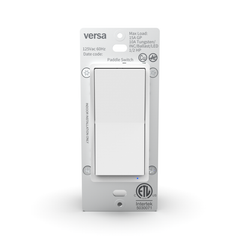
SWITCH-ZW In-Wall Z-Wave Light Switch
Z-Wave 800 Long Range in-wall on/off switch that replaces a single-pole or 3-way paddle switch and controls loads up to 1875W.
Accessories
Accessories documents
1 product. Open a document to read it on the page, or download the PDF from its first screen.

GNPC-1 Google Nest Cam Power Adapter
Google Nest Cam power adapter that pairs with the Google-supplied camera cable, ETL listed 7.5V DC 1.5A with a 75 ft run rating on 18 AWG.
How to use these pages
Read it on the job, print it for the truck
Each document is a web page first, so it loads on a phone at the door, and the PDF is the same content laid out for paper.
Open the manual page
Every manual page follows the same shape: what's in the box, placement or wiring, enrollment by panel or controller, the LEDs, specifications and the FAQ, with a pill nav that stays on screen.
Download the PDF when you need paper
The Download PDF button at the top of each page gives you the same manual laid out for paper, and the page tells you which revision it follows.
Check the datasheet for the numbers
Ratings, ranges, dimensions, battery and listings in one table, matched to the manual revision, so a spec on the datasheet is the spec on the manual.
Watch the firmware notes
When a device gets a firmware release we post what changed and the exact update procedure for the controllers we've tested it on.
Looking for a document that isn't here? Contact Versa with the SKU and your panel and we'll send it.
FAQ
Questions installers ask about Versa documentation
Is the web manual the same as the printed one in the box?
It follows the same revision, and each page names the document number and revision it was written from, so you can match it to the sheet in the box. When we revise a manual, the page is updated with it.
Where are the manuals for the PIR-319 and PIR-DUAL motion detectors?
The motion detector manuals aren't on this page yet. Until they are, the enrollment steps, LED behaviour and specifications are on each motion detector product page, and you can ask us for the printed manual.
Which document has the specifications I need for a submittal?
The technical datasheet. It carries the full specification table in one place: frequency, panels, dimensions, battery, operating range and the UL, FCC and ISED listings, matched to the manual revision. The installation manual repeats the key figures but is written around the procedure.
How do I know which panels a sensor enrolls on?
Every manual page has a Panels section listing the panel families by frequency, and the panel compatibility guide puts the whole line on one page. Go by the frequency the panel receives: 319.5 MHz for Qolsys IQ and GE/Interlogix-class panels, 345 MHz for Honeywell, Resideo and 2GIG, 433 MHz for DSC PowerSeries, Impassa and Alexor.
Do you post firmware for every Z-Wave device?
We post a firmware page when a device has a release worth updating to, with what changed and the update steps for the controllers we've tested it on. If a device isn't listed here, we haven't published a release for it yet.
Can I link to these pages from my own install guides?
Please do. Each manual, datasheet and firmware page has a stable address, so a link in your own documentation keeps working after we revise a manual.


